Locations and Rules Overview
Location and Rules are core components of tracking assets with CenterScape and Locations are used to organize sensors when CenterScape is tasked with Environmental Monitoring. Locations in CenterScape are designed to be a hierarchal organizational system based on physical location. A “rule” is a set of parameters proved by a tag and readers that CenterScape uses to detect the physical location of an asset or sensor tag. The “Location Tree” is created by adding locations to CenterScape.
Locations and Rules are managed in the Admin Console with LOCATIONS/RULES/MAPS->Locations & Rules. The two default locations are “Location”, which is the root of the Location Tree, and Unknown Location, which is a location used when a tracked Asset Tag is offline or does not match any known rule. These two locations cannot be deleted as they have core dependencies in the CenterScape software. They can be renamed.
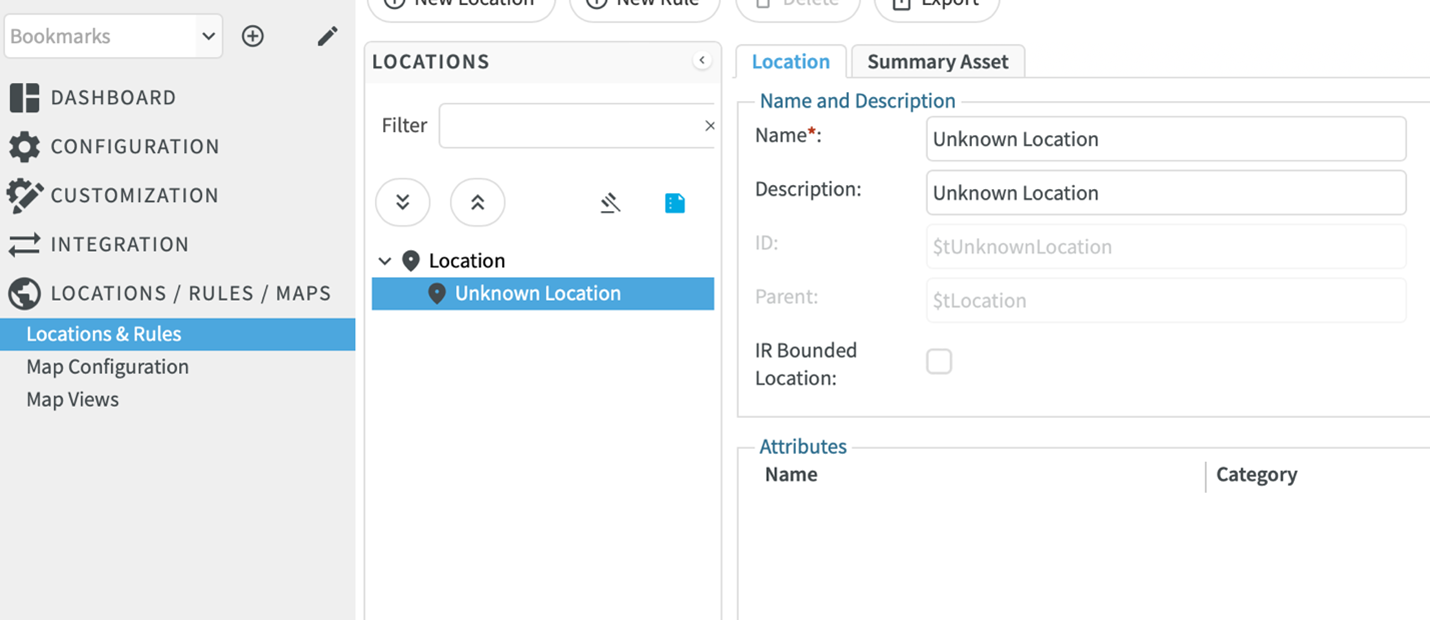
When a location is created it should be from the Root of the tree and not from unknown location. There is no required method for location organization but in general it is recommended that the location tree be something like Country->State->City->Site->Building->Room. Inside of a room, the next level in a data center can be rows or racks. It is not recommended to use the location tree to organize non-physical attributes. For example, a location called “Finance” under a room for all the racks owned by finance is not recommended. This is better done with description attributes instead of in the location tree.